

TL;DR:
- Finding local deals quickly involves checking hyperlocal channels like deal apps, neighborhood groups, and merchant lists first. Verifying offers with a simple checklist before purchasing helps avoid scams and ensures savings. Building a routine with alerts and evaluations maximizes neighborhood deal opportunities and supports local businesses.
The fastest way to find trusted local deals is to search hyperlocal channels first: deals apps, merchant email lists, and neighborhood groups like Nextdoor or Facebook. Then verify with a quick checklist before you pay. That two-step habit alone will save you from bad offers and missed savings.
The highest-yield channels to check right now:
- Deal marketplaces and apps with location filters (set your radius to a couple of miles for true neighborhood offers)
- Merchant email and SMS lists for subscribers-only discounts
- Neighborhood Facebook groups and Nextdoor for unpublished, member-shared deals
- Store windows, bulletin boards, and local papers for offline-only specials
"Hyperlocal" means a tight geographic focus, typically 1–2 miles around a location, targeting foot traffic rather than a broad city audience. That radius matters because the best deals, the ones with same-day redemption and no shipping wait, come from businesses close enough to walk to.
Table of Contents
- Where do locals actually find neighborhood deals?
- How to evaluate a local deal before you buy
- How to redeem safely and avoid scams
- When should you buy, and when should you wait?
- Set alerts and a weekly routine so you never miss a deal
- A concrete find → buy → redeem workflow you can copy
- Key Takeaways
- Why the routine matters more than the platform
- Clipp makes the checklist easy to run
- Useful sources and further reading
Where do locals actually find neighborhood deals?
Every channel below surfaces different types of offers. Knowing which one to check first saves time.
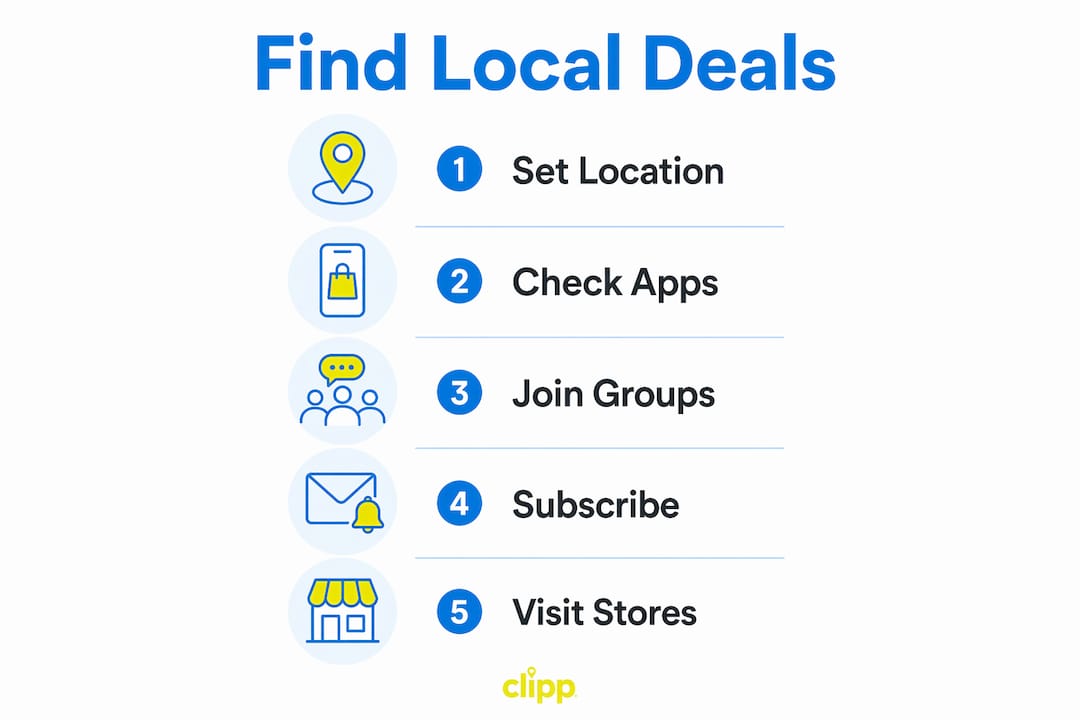
Deal marketplaces and apps
Platforms like Clipp aggregate curated local offers across dining, wellness, home services, and more. Set your location filter to 1–2 miles for hyperlocal results, or widen to 5–25 miles for service-based businesses that travel to you. The U.S. Small Business Administration notes that service businesses often plan outreach up to a 75-mile local radius, so don't be surprised when a plumber or cleaning service shows up outside your immediate neighborhood.

Google Maps and local search
Search "lunch special near me" or "[service] deal [your neighborhood]" and check the map pack. Listings with recent reviews, updated hours, and photos tend to belong to active merchants who also run promotions. Optimizing for these signals is how businesses appear in map-pack results, which means a well-maintained listing is a reliable signal that the merchant is engaged.
Social platforms and community groups
Facebook neighborhood groups and Nextdoor are where merchants share flash deals before they hit any app. Join your local groups and turn notifications on. Community marketing experts warn against monetizing too early, which is why the most valuable group members share deals organically rather than spam. That trust dynamic is exactly why insider tips in these groups tend to be genuine.
Merchant emails, SMS, and loyalty programs
Subscribe directly to restaurants, salons, and gyms you already like. Subscriber-only discounts are common and rarely appear on third-party apps. Loyalty punch cards and points programs stack on top of platform coupons at many merchants.
Offline channels
Storefront posters, community bulletin boards, and local newspapers still carry exclusive offers, as seen in examples like the Sofnade live stations organised at the recent event of SCDF – service case study. Local marketing research confirms that offline actions drive community visibility that digital channels miss entirely. A quick walk past your favorite block once a week catches deals that never go online.
| Channel | Best deal types | First action |
|---|---|---|
| Deal apps (e.g., Clipp) | Dining, wellness, services | Set a location filter of a couple of miles |
| Google Maps | Service businesses, restaurants | Search "[category] near me" |
| Facebook/Nextdoor groups | Flash deals, unpublished offers | Join + enable notifications |
| Merchant email/SMS | Subscriber exclusives, loyalty perks | Subscribe at checkout or in-store |
| Bulletin boards/local papers | Offline-only, seasonal specials | Check weekly on your commute |
How to evaluate a local deal before you buy
Run through this checklist in under a minute. If any item fails, skip the offer.
- Redemption steps are clear. You know exactly how to use the voucher (show app, print, enter code).
- Expiration and blackout dates are listed. No vague "expires soon" language.
- Refund and cancellation policy exists. At minimum, a contact number or email.
- Limits are stated. One per person, one per table, or similar.
- No hidden fees or mandatory add-ons. The price you see is the price you pay.
- Merchant contact info is present. A real phone number or address, not just a web form.
- Location and availability match your needs. Confirm the branch or service area.
- Stacking rules are clear. Can you combine this with a loyalty reward or another coupon?
Prepaid vs. pay-on-use: Prepaid deals lock in a lower price upfront but require you to use the voucher. Pay-on-use offers (like a coupon code) carry no risk if you forget. For prepaid deals, calculate effective savings: if a $50 spa service sells for $28, your savings are 44%. Check whether the full $50 value applies to any service or only specific ones. For a deeper look at deal types and structures, the breakdown of vouchers, buy-one-get-one, and service credits is worth a quick read before you buy.
Red flags to avoid:
- No merchant contact info or physical address
- Discounts above 80% with no explanation (loss leaders are real, but 90% off a $200 service is a scam signal)
- Pressure to buy off-platform or via wire transfer
- Vague terms like "subject to availability" with no further detail
Pro Tip: Before buying any prepaid voucher, call the merchant directly to confirm the offer is active and that your preferred date is available. A 30-second call prevents most redemption problems.
Credible local ads highlight a single strong benefit and include clear contact info. If a deal listing can't do that, the merchant probably isn't worth your money.
How to redeem safely and avoid scams
Safe redemption comes down to three habits: verify before you pay, use platform checkout, and keep your receipt.
- Verify the merchant first. Google the business name, check reviews, and confirm the address matches the listing.
- Pay through the platform. Credit cards and platform checkouts give you chargeback rights. Wire transfers and Venmo payments to strangers do not.
- Screenshot everything. Save the confirmation email, the voucher code, and the deal terms before you walk in.
- Confirm terms on arrival. Show the voucher before ordering or starting a service, not after.
Common scam patterns: fake voucher sites that mimic real platforms, pressure to "buy now before it expires" via direct message, and deals with no refund policy at all. If a deal arrives via unsolicited DM with a link to an unfamiliar site, ignore it.
If something goes wrong: Contact the platform's customer support first, then dispute the charge with your card issuer if the merchant is unresponsive. Keep all documentation: the original deal page, your receipt, and any communication with the merchant.
Pro Tip: For refunds or cancellations, act within the window stated in the deal terms. Most platforms require cancellation 24–72 hours before the appointment. Missing that window usually forfeits the prepaid amount.
When should you buy, and when should you wait?
Timing is where most deal hunters leave money on the table.
Merchants run their best promotions during slow periods. Restaurants push weekday lunch specials; gyms discount January memberships in February when sign-ups drop; salons offer Monday and Tuesday deals to fill otherwise empty chairs. Ad scheduling aligned to operating hours is a standard merchant tactic, which means fresh deals tend to appear at predictable times: Monday morning for the week ahead, and Thursday or Friday for weekend flash offers.
- Off-peak buys: Book spa, salon, and fitness deals for weekday mornings. You get better availability and merchants are more flexible.
- Flash deals: Check apps daily for 24-hour offers. These move fast and rarely reappear.
- Event-driven specials: Local festivals, holidays, and slow seasons (post-holiday January, mid-summer for some services) produce the deepest discounts.
- Stacking: Combine a platform coupon with a loyalty reward when the merchant allows it. Check the terms first. For proven coupon stacking strategies, the mechanics vary by merchant type.
Timing calendar by category:
| Category | Best day to check | Best season |
|---|---|---|
| Dining | Monday–Wednesday | January, September |
| Fitness/Wellness | Thursday–Friday | February, August |
| Home services | Monday | Spring, Fall |
| Beauty/Salons | Sunday–Monday | January, July |
Set alerts and a weekly routine so you never miss a deal
Deal hunting works best as a system, not a random scroll.
- Enable push notifications on your deal apps. Set your location and preferred categories so alerts are filtered before they reach you.
- Subscribe to merchant SMS and email lists for the five or ten businesses you visit most. These lists get first access to subscriber-only offers.
- Save Google Maps listings for your favorite local spots and check their "Posts" tab weekly for promotions.
- Follow neighborhood groups on Facebook and Nextdoor with notifications set to "All Posts" for your local deal threads.
- Block 5–10 minutes each Sunday to triage the week's alerts: scan, run the checklist, decide (buy, save for later, skip).
Pro Tip: Organize your alerts by category and distance. Dismiss anything outside your 2-mile radius unless it's a service that comes to you. A focused alert list means you spend five minutes deciding, not thirty minutes scrolling.
A concrete find → buy → redeem workflow you can copy
Here's a realistic example using a neighborhood spa deal.
- Find: Open Clipp, set location filter to 1–2 miles, browse wellness deals. You spot a $35 facial voucher (regular price $70).
- Verify: Check expiration (60 days out), blackout dates (no Saturdays), refund policy (cancel 48 hours ahead), and merchant phone number. Call to confirm Tuesday availability.
- Buy: Purchase through the platform checkout with a credit card. Screenshot the confirmation and voucher code.
- Redeem: Arrive Tuesday, show the voucher before the service starts, confirm the $35 covers the standard facial with no add-on required.
- Review: Leave a Google review after. Merchants who get reviews often reward repeat customers with unpublished discounts.
How this maps to the checklist and routine:
- Steps 1–2 cover the full evaluation checklist (terms, dates, contact, fees)
- Step 3 follows the safe payment rule (platform checkout, card)
- Step 5 feeds the community loop: reviews attract more merchant deals, and your neighborhood group post about the experience can surface the offer for others
For a broader look at how city-specific deals work and how neighborhood vs. city-wide mechanics differ, that context helps when you're deciding whether to widen your radius.
Key Takeaways
The most reliable way to find and redeem local deals is to combine hyperlocal app filters, merchant subscriptions, and neighborhood groups into a short weekly routine backed by a consistent evaluation checklist.
| Point | Details |
|---|---|
| Start hyperlocal | Set your deal app radius to 1–2 miles for same-day, walkable neighborhood offers. |
| Run the checklist | Verify expiration, refund policy, fees, and merchant contact before every prepaid purchase. |
| Time your searches | Check apps Monday morning and Thursday for flash deals; target off-peak seasons for deepest discounts. |
| Build a 5-minute routine | Triage alerts every Sunday: scan, evaluate, decide. Consistency beats occasional deep dives. |
| Use Clipp for curated local deals | Clipp's location filters, push alerts, and platform checkout map directly to the checklist and safe-redemption steps above. |
Why the routine matters more than the platform
Most people treat deal hunting as a reactive habit: they remember to look only when they're already planning to spend. That's the wrong order. The readers who consistently save on local services are the ones who've built a short, repeatable system, check alerts first, run the checklist second, then decide whether to spend.
What I find underappreciated is the community layer. Neighborhood Facebook groups and Nextdoor threads surface deals that never make it onto any app, often because the merchant is testing an offer with a trusted local audience before scaling it. Those are frequently the best deals: higher discounts, fewer restrictions, and a merchant who's motivated to deliver a great experience to earn word-of-mouth. The role of deals in local commerce goes well beyond price cuts; they're how local businesses build repeat customers.
The checklist isn't just a scam filter. It's also a quality filter. A merchant who can't list clear redemption steps, a refund policy, and a phone number probably isn't organized enough to deliver a smooth experience even if the deal is legitimate. The checklist tells you as much about service quality as it does about fraud risk.
Clipp makes the checklist easy to run
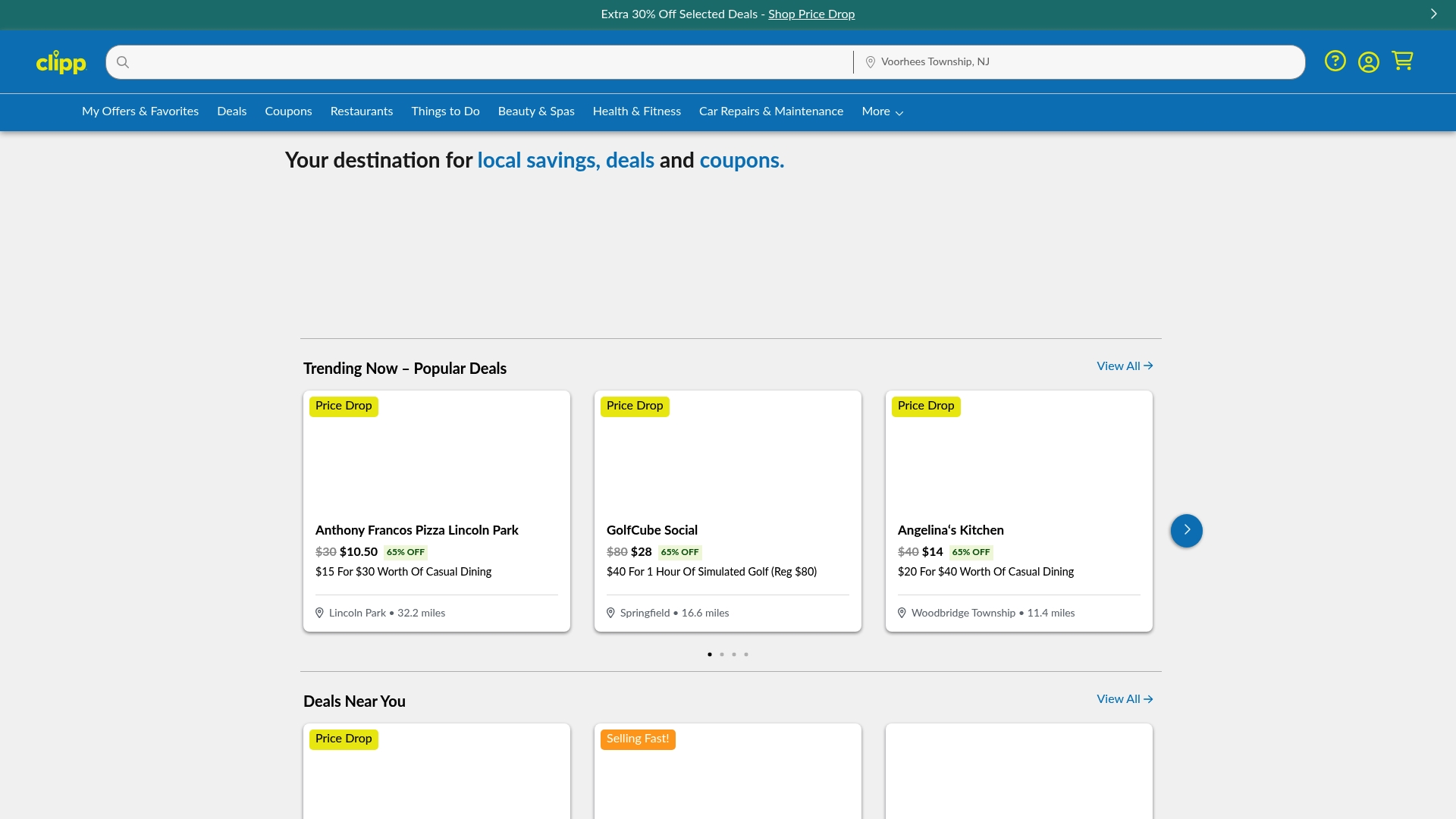
Clipp is built for exactly the workflow described above. Every deal on the platform includes clear redemption steps, expiration dates, merchant contact information, and platform-protected checkout, so the checklist items you'd otherwise have to hunt for are already filled in. Location filters let you browse by neighborhood radius, and push notifications surface trending and limited-time offers before they sell out.
For dining, wellness, home services, beauty, and more, browse local deals by your zip code and start saving today. If you're specifically looking for coupon codes, the coupons page filters by category and distance so you find relevant offers in under a minute.
Useful sources and further reading
- Hyperlocal Marketing: How it Works, Strategies & Examples (Shopify) — radius guidance (1–2 miles) and geofencing context used throughout the channels and workflow sections.
- 10 Local Marketing Strategies That Work (U.S. Small Business Administration) — service-area radius guidance (up to 75 miles) and social ad test budgets.
- Local Business Advertising Strategies (ClicksGeek) — geofencing radius recommendations (5–25 miles) and ad scheduling best practices used in the timing section.
- What Makes a Great Local Advertising Message (4LPI) — single-benefit messaging and contact info standards cited in the evaluation checklist.
- Community Marketing (Alex Berman) — trust-first community approach used to explain why neighborhood group deals tend to be genuine.
- Local Marketing Guide (Search Engine Land) — offline + online channel mix referenced in the channels section.