

TL;DR:
- A reliable entertainment deals workflow involves discovering local offers, evaluating the deal's value and restrictions, and redeeming with proper documentation. Following these steps ensures savings, avoids surprises, and prevents expired or invalid offers. Consistently saving confirmation and tracking expiry dates maximizes the benefits of local discount deals.
A solid entertainment deals workflow runs in five steps: discover local offers, evaluate the real value and restrictions, buy with documented safeguards, track expiration dates, and redeem without surprises. Before you spend a dollar, run these exit criteria: confirm the face value beats the deal price after fees, check the expiration date, verify seat or experience quality, read the refund policy, and confirm exactly how to redeem (mobile, print, or in-app). 91% of consumers seek coupons locally, so the best deals are usually close to home.
TL;DR
| Stage | What to do |
|---|---|
| Discover | Search Clipp or a local aggregator by category and location |
| Evaluate | Run the five exit criteria before buying |
| Buy/Book | Pay on a secure channel, save the full confirmation |
| Track | Set a calendar reminder with expiry date and redemption steps |
| Redeem | Arrive with voucher or mobile code; verify before you leave home |
Table of Contents
- What does a step-by-step entertainment deals workflow look like?
- Where can you find local entertainment deals fast?
- How do you evaluate a deal before you buy it?
- How do you redeem a deal without problems?
- How do you organize saved deals so they don't expire unused?
- How do you spot scams and avoid bad deals?
- How Clipp makes the workflow faster
- Key Takeaways
- The habit most deal-buyers skip
- Clipp puts local deals in one place
- Useful sources
What does a step-by-step entertainment deals workflow look like?
A repeatable process beats hunting from scratch every time. Here is how each stage works in practice.
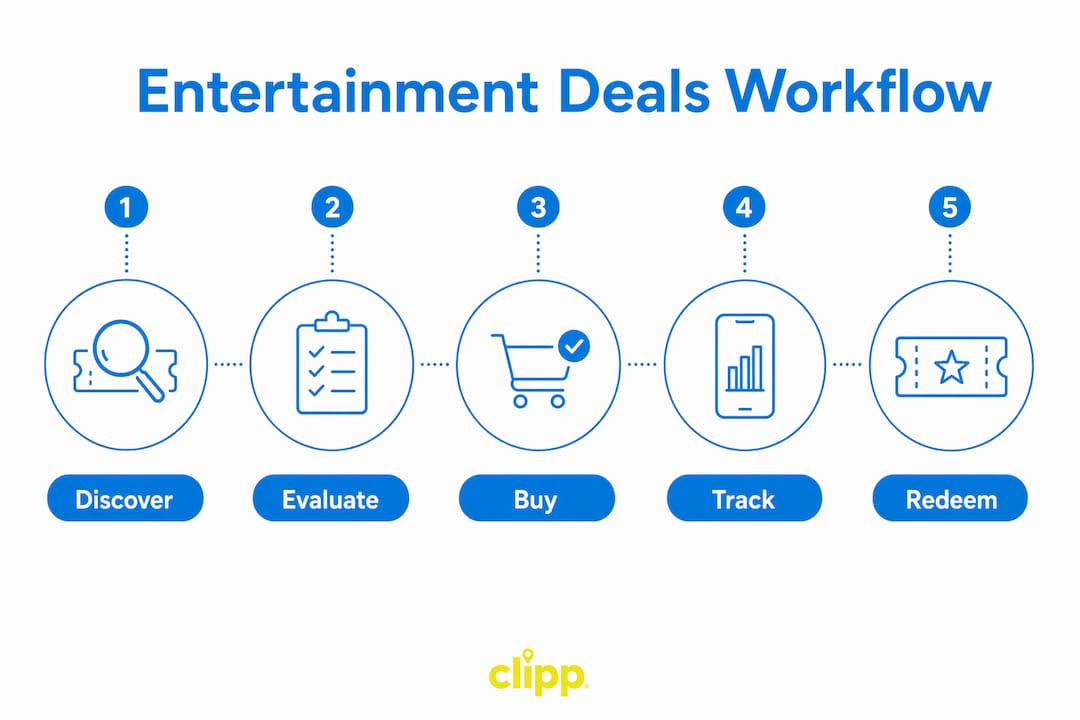
1. Discover. Search a curated local platform (Clipp, your bank's rewards portal, or a venue mailing list) filtered by category and zip code. Aim for three to five candidates, not twenty.
2. Evaluate. For each offer, open the deal card and check: listed face value vs. deal price, any service or processing fee, blackout dates, seat tier or experience quality, and whether the merchant has verified reviews. Platforms that surface structured deal fields cut this step from minutes to seconds.
3. Decide and buy. Once an offer clears your exit criteria, pay through the platform's secure checkout. Screenshot or download the order confirmation immediately. That confirmation is your master record for any billing dispute or refund request.
4. Track. Add the deal to your phone's calendar with the expiry date in the event title and paste the redemption steps into the notes field. If it's a group outing, drop the confirmation into a shared note.
5. Redeem. Arrive with your voucher or mobile code ready. Check the code is valid before you leave home. If the venue uses a POS scanner, a screenshot works; if they require a printed voucher, print it the night before.
Pro Tip: The best window to buy entertainment deals is Tuesday through Thursday, when venues release new inventory and flash sales. Redeem midweek too — staff are less rushed and upgrades are more likely.
Where can you find local entertainment deals fast?
Not every source is worth your time. Here is where to look and when each one pays off.
Deal aggregators like Clipp pool offers from local merchants across dining, shows, and activities in one place. They're fastest for broad discovery and often surface top entertainment discounts you'd never find by browsing venue sites one by one.
Venue and box office pages are best when you already know what you want and need the best seat selection. Deals here are shallower but the inventory is accurate.
Bank and credit card portals (Amex Offers, Chase Offers, and similar) deliver targeted discounts tied to your card. They require no separate account and often stack with other savings.
Social media and newsletters from local venues deliver flash sales and last-minute offers, but they're inconsistent. Worth subscribing to two or three favorites; not worth monitoring daily.
| Source | Best for | Typical discount depth | Trust signal to check |
|---|---|---|---|
| Deal aggregator | Broad local discovery | Deep (30–50%) | Merchant ratings, verified reviews |
| Venue direct | Seat selection, accuracy | Shallow | Official site, box office phone |
| Card portal | Targeted, no extra sign-up | Moderate | Issuer-verified merchant |
| Social/newsletter | Flash sales, last-minute | Varies | Venue's verified account |
Look for these trust signals on any deal page before you buy: a named merchant with contact information, a star rating backed by verified reviews, a clearly stated expiration date, and explicit redemption instructions. If any of those four are missing, move on.
How do you evaluate a deal before you buy it?
Two minutes of checking now prevents a frustrating night later. Work through these in order.

Face value vs. effective price. Divide the deal price by the face value and subtract from 1 to get your real discount. A $30 deal for a $50 experience is a 40% saving — but add a $5 service fee and it drops to 30%. That math takes thirty seconds and changes whether the offer is worth it.
Fees, caps, and stacking rules. Platforms enforce per-customer redemption caps and stacking limits to protect merchant margins. Read the fine print for "one per household," "not valid with other offers," or a maximum purchase quantity. Buying two vouchers when the cap is one means the second is worthless.
Blackout dates and seat quality. A concert deal that excludes Friday and Saturday nights is a weeknight-only offer. A "dinner for two" deal that seats you in the bar area, not the dining room, is a different experience than advertised. Confirm both before you pay.
Refund and cancellation policy. Platforms with a documented refund policy give you a clear exit if the venue closes or the event cancels. No refund policy stated means no refund in practice.
Verified merchant ratings are the single fastest trust signal. A merchant with dozens of recent reviews and a 4-star-plus rating has a track record. An unrated or newly listed merchant carries real uncertainty — treat it like a first date, not a sure thing.
Secure checkout matters too. Pay only through the platform's own payment page. A redirect to an unrecognized third-party processor mid-checkout is a red flag worth walking away from.
How do you redeem a deal without problems?
Most redemption failures happen because the buyer didn't save the right information at purchase. Fix that at checkout.
- Save the full order confirmation (email plus screenshot) immediately after purchase.
- Note the voucher code or barcode separately from the confirmation email.
- Check whether redemption is mobile-only or requires a printed copy — do this the day you buy, not the day you go.
- Save the merchant's phone number from the deal page to your contacts.
- Confirm any arrival-time requirements (some deals require a reservation or a specific check-in window).
- If the platform returns an error at checkout, save the exact error message. Platforms run multi-layer validation and error codes are your evidence for a support request.
If a voucher says "print only" and you're going mobile, call the venue the day before. Most will accept a clear screenshot. Get the staff member's name and note it.
To request an extension or exception, contact merchant customer service with this one-liner: "I purchased [deal name] on [date], order #[number], and need to reschedule — can you extend the validity by two weeks?" Short, specific, and easy to say yes to.
Pro Tip: Send yourself a single text or email with the voucher code, merchant address, and arrival time. One message, one source of truth — no digging through your inbox at the venue door.
How do you organize saved deals so they don't expire unused?
The most common waste in deal-buying isn't a bad offer. It's a good offer that expires forgotten in an inbox.
Phone wallet. Add vouchers to Apple Wallet or Google Wallet at purchase. Both send automatic expiry alerts and keep the barcode one tap away.
Calendar reminders. Create an event three days before expiry with the redemption steps in the notes. Three days gives you time to book, reschedule, or pass the deal to a friend.
Email folder or spreadsheet. A simple "Active Deals" folder in Gmail or a five-column spreadsheet (merchant, deal, price paid, expiry, redeemed?) takes two minutes to set up and works for heavy deal-buyers who track multiple offers at once.
Group sharing. For family or group outings, a shared Apple Note or Google Doc with the confirmation and redemption steps prevents the "who has the voucher?" scramble. Clipp's mobile app keeps your saved deals in one place and is easy to share from.
The single habit that prevents expired deals: a weekly five-minute triage. Every Sunday, open your active deals folder and ask: use it, gift it, or let it go. Deals that don't survive that question weren't worth buying in the first place.
Pro Tip: Set one recurring weekly reminder titled "Deal triage" for Sunday evening. It takes less time than a commercial break and saves real money.
How do you spot scams and avoid bad deals?
Red flags are usually obvious once you know what to look for.
- Price too far below market. A $200 concert experience for $15 is not a deal — it's a signal.
- No merchant contact information. A legitimate offer always includes a business name, address, and phone number.
- Vague or missing redemption steps. "Contact us to redeem" with no further detail is not an instruction.
- Third-party checkout redirect. If clicking "buy" sends you to an unrecognized payment page, stop.
- No verified reviews. A merchant with zero reviews on a platform that shows ratings for every other listing is a gap worth questioning.
Safe practices are straightforward: use platforms with verified merchant ratings, pay through the platform's own secure checkout, and keep copies of every confirmation. If a deal looks suspicious, check the merchant's own website directly and call the venue to confirm the offer is real. That thirty-second call has saved more than a few people from a wasted trip.
How Clipp makes the workflow faster
Here is the workflow in one real scenario. You search local entertainment deals on Clipp, filter by "Near You," and find a local comedy show at 40% off face value. The deal card shows the merchant's star rating, the exact expiry date, the redemption method (mobile code at the door), and the refund policy. You run your exit criteria in under two minutes: face value checks out, no blackout on your preferred date, refund policy is documented, merchant has 4.2 stars from verified buyers. You buy, save the confirmation to your wallet, and set a calendar reminder for three days before the show.
Clipp's category filters make it fast to surface family-friendly entertainment deals or last-minute offers without scrolling through irrelevant listings.
What to look for on any Clipp deal card: merchant name and rating, clear expiry date, explicit redemption method, and a documented refund or cancellation policy. All four present means the offer cleared the trust bar.
Pro Tip: Use Clipp's "Near You" filter with a tight radius when you want same-week plans. Deals within two miles of your location tend to have the most flexible redemption windows.
Key Takeaways
A repeatable entertainment deals workflow — discover, evaluate with exit criteria, buy securely, track expiry, and redeem with confirmation in hand — is the fastest way to capture local savings without wasted trips or lost money.
| Point | Details |
|---|---|
| Run exit criteria first | Check face value, fees, blackout dates, seat quality, and refund policy before every purchase. |
| Save your confirmation immediately | Your order confirmation is the master record for any refund, dispute, or redemption issue. |
| Track with calendar and wallet | Add expiry dates to your calendar and vouchers to Apple or Google Wallet to prevent unused deals. |
| Prioritize verified merchant ratings | A 4-star-plus rating from verified buyers is the fastest single trust signal on any deal page. |
| Clipp speeds discovery | Clipp's "Near You" filter and structured deal cards surface local entertainment offers with ratings, expiry, and refund terms in one view. |
The habit most deal-buyers skip
Most people treat deal-buying as a one-time action: find, buy, forget. The redemption step is where the money actually lands, and it's where most consumers lose it — not to scams, but to expired vouchers and missed reservations.
The workflow in this guide is not complicated. What makes it work is treating the purchase confirmation as a document, not a receipt. Save it, track it, and show up prepared. The consumers who get the most from local entertainment deals are not the ones who find the deepest discounts. They're the ones who actually use them.
One more thing: membership deals and one-off coupons serve different needs. A membership makes sense if you visit the same venue type regularly. A one-off coupon is better for trying something new with no commitment. Knowing which you're buying before you pay prevents the "I'll never use this again" regret that follows a lot of impulse purchases.
Clipp puts local deals in one place
Clipp is the faster alternative to hunting across a dozen venue sites and card portals for local entertainment savings. Every deal on Clipp.com comes with a merchant rating, a clear expiry date, and explicit redemption instructions — the three things that make the workflow above actually work. One-off coupons require no membership, so you pay only for what you use.
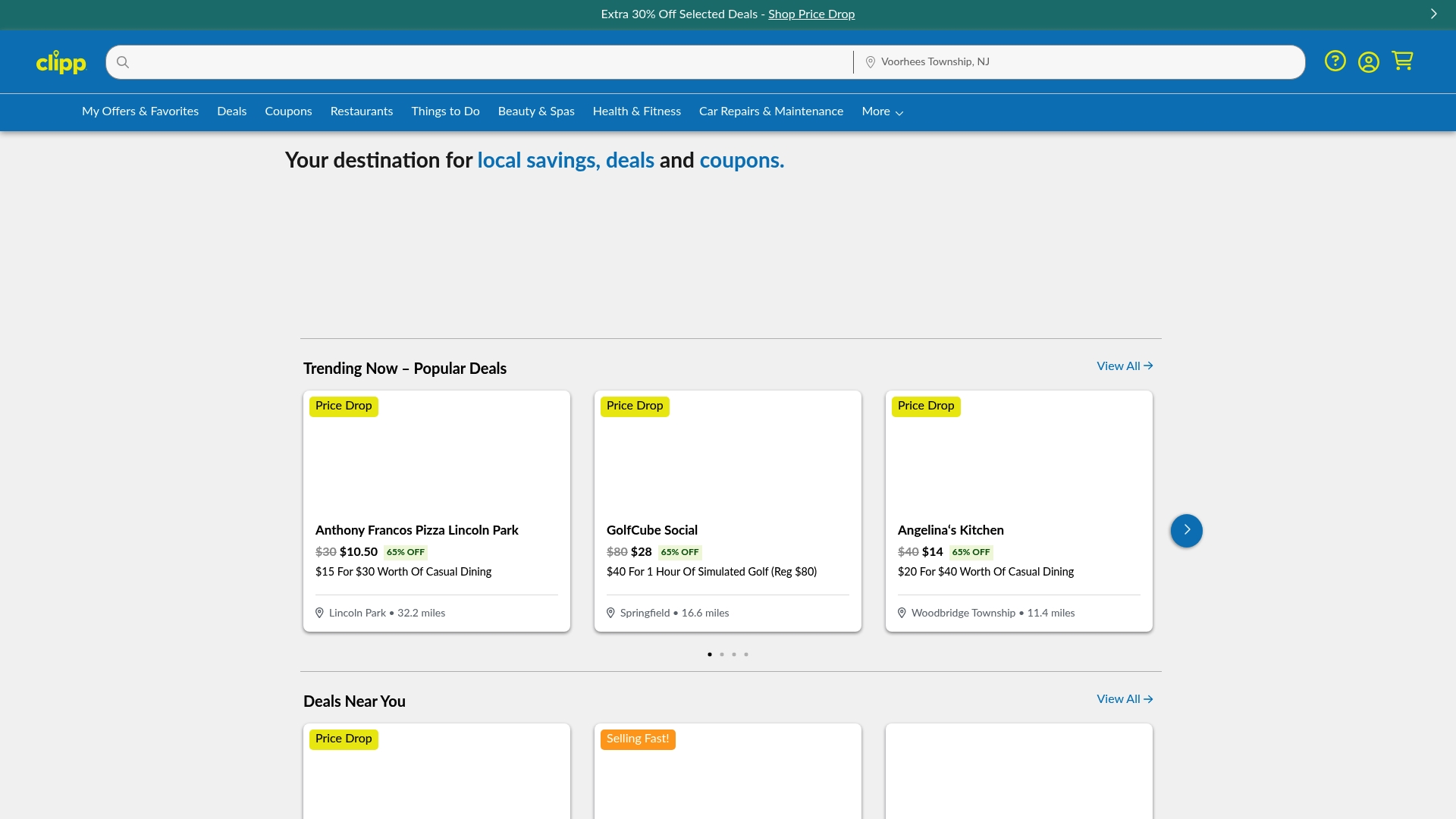
Browse local coupons and entertainment offers near you now, or check the full deals feed to see what's trending in your area. No subscription required to start saving.
Useful sources
The following sources informed the workflow, exit criteria, and trust-signal guidance in this guide.
Most actionable for implementation: the Terasu deal management guide (exit criteria framework), the SyncGTM handoff documentation (confirmation-as-master-record principle), and the EventSuite offer management docs (caps, stacking rules, and redemption controls). These three cover the consumer-side logic behind why the workflow steps are ordered the way they are.
- Complete Guide to Sales Deal Management | Terasu Blog — exit criteria framework applied to consumer deal evaluation
- B2B Sales Process Flowchart | SyncGTM — handoff documentation and the confirmation-as-master-record principle
- Event Offer Voucher Management Software | EventSuite — caps, eligibility rules, and redemption controls
- Deals Workflow | Client Framework — deal master record structure and validation error handling
- Offer Management Software | Voucherify — stacking rules, per-customer limits, and fraud prevention controls
- How Deals Engage Consumers | Clipp Blog — local coupon-seeking behavior data